


Spencer's Nation
3.5241.00 Reviews
App Specs
- Version
- 1.7.2
- Updated On
- License
- Free
- Downloads
- 500,000+
- Developer
- Spencer's
- Categories
- Shopping
- Platform
- Android
Screenshots
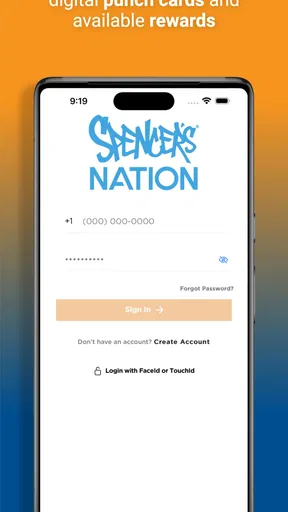
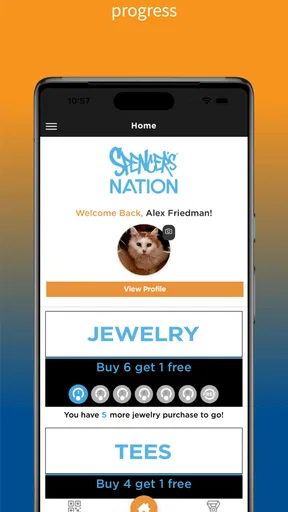
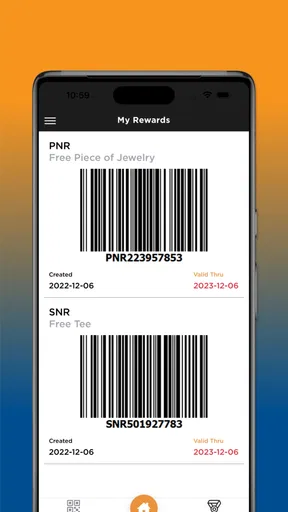
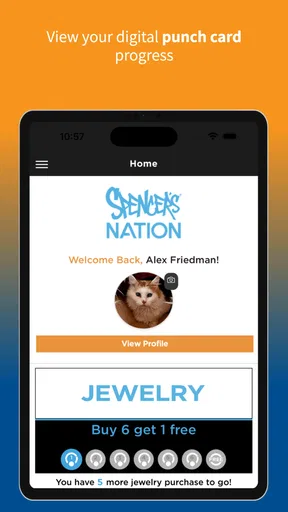
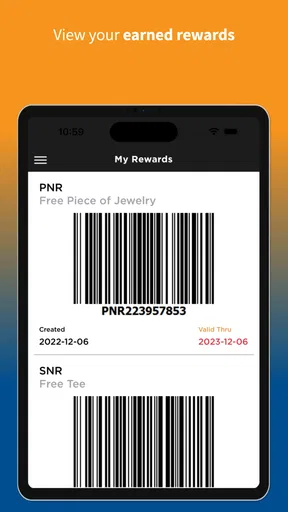
 Analysis by AppCompare
I approached Spencer's Nation as a shopping companion rather than a full replacement for the Spencer's store experience. That distinction matters. The app is free, comes from Spencer's, and is built around the idea of giving regular shoppers a dedicated place to interact with the brand and earn rewards. Its store summary is brief, but after spending time with it, I found the most useful way to judge it is by asking a practical question: does it make repeat Spencer's shopping more convenient, or is it simply another app taking space on your phone?
My answer is fairly positive, with some qualifications. If you already shop at Spencer's, the app has a clear purpose. It gives your visits a digital layer and makes it easier to keep your loyalty activity in one place instead of relying on memory or scattered receipts. If you only visit occasionally, the benefit is less immediate. The experience is not designed to replace every shopping tool you use, and it is not the best choice for someone looking for a broad marketplace with many unrelated retailers.
How I used Spencer's Nation in a normal shopping routine
The simplest workflow is also the one I recommend: install the app before your next Spencer's visit, open it while you have a moment, and learn where your account and earning-related sections live. I would not wait until I am standing at a busy checkout to figure everything out. A few minutes of preparation makes the app feel more useful because the point is to support a repeatable habit, not to become another task during an already rushed shopping trip.
In everyday use, I think of it as a companion for three moments. Before shopping, I can check the app and make sure I am signed in and ready to use the relevant account features. During a visit, I can keep it available rather than searching through email or trying to remember whether I joined a loyalty program. Afterward, I can return to it to keep my Spencer's activity connected to the same account. That rhythm is more valuable than opening it randomly with no shopping goal.
A realistic example would be a weekend trip to the mall for a birthday gift, a novelty item, or something for a themed event. I would open Spencer's Nation before leaving, confirm that I can access my account, and then keep the phone ready while shopping. If the visit leads to another purchase later, having the same account routine already established reduces friction. The app's value grows through repetition: one visit may feel simple, but several visits make a dedicated shopping identity more worthwhile.
The app is not a general shopping browser in the way a large marketplace is. Its focus is Spencer's, which is both its strength and its boundary. I do not have to filter through unrelated sellers, but I also should not expect it to help me compare the same product across many retailers. That makes the decision straightforward. For Spencer's regulars, specialization is useful. For shoppers who want one app for every purchase, a broader retailer or marketplace will still be more practical.
One habit I found especially sensible is checking the account before assuming that a purchase or visit has been connected correctly. Loyalty-style apps are easiest to use when the account step becomes automatic, but it is still worth taking a second to verify that I am using the intended profile. I would rather build that small check into my routine than discover later that I had been browsing without being properly signed in.
Worth Reading Before You Choose

EA SPORTS FC Mobile 26 Is a Bigger Football Game, but It Takes Time

Flipboard Shows What News Apps Must Do Beyond the Feed

Switching to Android Auto Means Rethinking Your Driving Routine

Google Calendar Makes a Crowded Week Easier to Manage

Ludo King Makes the Most of the Minutes Between Plans

Baby Panda World Brings Quick Play to Modern Phones, but Its Game Library Feels Busy
The account routine matters more than constant browsing
I would not keep Spencer's Nation open all day or treat it like a social network. Its role is more focused. Open it when a Spencer's purchase is likely, when you want to review your account activity, or when you are preparing for a return visit. That keeps the app from becoming background clutter and gives each session a clear reason.
This also answers a question many shoppers have: do you need to be a frequent customer to justify installing it? Not necessarily, but frequent visits make the case much stronger. Someone who shops at Spencer's only once a year may prefer to use the ordinary store experience and avoid maintaining another account. Someone who visits for gifts, seasonal items, collectibles, or novelty products can get more from making the app part of a regular routine.
The developer is Spencer's, so the app feels purpose-built for that retailer rather than like an independent shopping tool trying to cover every brand. I appreciate that narrower focus because it keeps the reason for installing it clear. At the same time, it means the app's usefulness depends heavily on whether Spencer's is already part of my shopping life.
Settings and account checks worth doing early
I recommend starting with the account and notification areas instead of immediately browsing. The most important setup is making sure the profile information is correct and that I understand how the app presents earning-related activity. I would also review notification controls so the app supports my shopping rather than interrupting me unnecessarily. A loyalty app should remind me when a reminder is useful, not make me feel that every message deserves immediate attention.
Another good check is the app's current state after installation. Spencer's Nation is listed as running on Android version 8.0 or later, so compatibility is broad for many Android users, but an older phone can still affect how comfortable any shopping app feels. Before relying on it at checkout, I would open it on the device I actually carry, sign in, and make sure the main account journey is easy to reach. That small rehearsal is more useful than assuming every phone will behave identically.
I also suggest reviewing whether the app remembers the account in the way you expect. I do not want to discover during a purchase that I have been signed out, forgotten a password, or created a second profile by mistake. The practical solution is simple: use one consistent account, keep login details accessible through your normal secure method, and avoid creating duplicate identities just because the first login feels inconvenient.
Notification settings deserve a little judgment. If I shop at Spencer's often, timely reminders may help me remember to check the app before visiting. If I am an occasional shopper, I would keep only the alerts that feel directly useful. The best setting is not necessarily the most active one. It is the one that keeps the app visible enough to support a habit without turning a shopping tool into a source of noise.
I would also check for updates from time to time. The current version is 1.7.2, and using the current release is sensible when an app is tied to an account or a retailer's in-store process. Updates can change navigation, so I would avoid learning the interface once and assuming it will never move. Before an important shopping trip, a quick opening of the app is enough to confirm that everything still looks familiar.
Small shortcuts that make repeat visits easier
The fastest pattern is to connect app use to an existing event. For me, that could be leaving home for the mall, planning a gift purchase, or deciding to visit Spencer's after checking other stores. Opening the app at that moment is easier to remember than inventing a separate daily routine. This is a simple shortcut, but it is more sustainable than forcing myself to browse an app that has no reason to be open.
I would also place the app where I can find it quickly, especially if I expect to use it in a store. That does not mean keeping it on the front screen forever; a clearly labeled folder for shopping apps works just as well. The goal is to remove the tiny delay that causes people to give up before signing in. When an app's main benefit depends on using it at the right moment, discoverability becomes part of the experience.
Another useful pattern is to make the pre-purchase check consistent. Before paying, I would open the app if the store's process calls for account identification or earning activity, then confirm that I am using the correct account. I would not assume that simply having the app installed is enough. Installation and participation are different things, and treating them as separate steps prevents avoidable confusion.
After a purchase, I would avoid repeatedly refreshing the app in search of an immediate change. A better approach is to keep the receipt and return to the account later if something needs checking. This is a sensible trade-off: the app can organize the loyalty side of shopping, but it should not replace the receipt as proof of a transaction. Keeping both records gives me a safer fallback if I need to discuss a purchase with the retailer.
For families or people who share a phone, I would be especially careful about account switching. A shopping app tied to one person's activity can become confusing if several people use the same device. My preference would be one clearly identified account per shopper, with a deliberate sign-out or account check when necessary. That extra step is less convenient than casual sharing, but it protects the accuracy of the shopping history and earning activity.
Where experienced use still meets real limits
The biggest limitation is the app's narrow scope. Spencer's Nation can be useful for Spencer's customers, but it does not become a universal shopping assistant simply because it is installed. I would not use it for broad price comparison, managing purchases from unrelated stores, or replacing a general payment and budgeting app. Those jobs belong to different tools, and expecting one retailer app to handle them would make the experience feel disappointing for the wrong reason.
There is also a practical dependency on account discipline. If I forget which email or profile I used, the convenience drops quickly. The app cannot make a scattered account history feel organized by itself. That is why I consider consistent sign-in habits an advanced use rather than a minor detail. The more often I shop, the more important it becomes to keep one clean account instead of treating each visit as a separate beginning.
I would not recommend installing it solely because it is free. Free removes the financial barrier, but it does not remove the cost of attention, storage, notifications, and account maintenance. The right question is whether I expect to shop at Spencer's enough for the dedicated features to repay that small amount of effort. For a regular customer, yes. For someone who is only curious, probably not yet.
The age rating is Everyone, which makes the app broadly approachable from a content perspective. That does not mean every shopping situation is equally suitable for every household, though. Parents may still want to decide whether a retailer-focused app belongs on a child's device, particularly when the phone is connected to a family shopping account. The content rating describes accessibility, while account ownership and purchasing decisions remain personal responsibilities.
The app's average rating is 3.5 from around 562 ratings, with about 241 written reviews. I read that as a sign to keep expectations realistic rather than as a reason to dismiss it. A retailer app can be genuinely helpful for its intended audience and still frustrate people who encounter login issues, do not shop often enough to need it, or expect a richer marketplace experience. My own view lands in the middle: useful when the shopping habit matches the design, less compelling when it does not.
How it compares with ordinary Spencer's shopping
The ordinary store experience remains the better choice when I need a quick, one-off purchase and do not want another account. Walking in, choosing an item, and paying can be simpler than setting up a digital routine. The app earns its place when I expect repeat visits or want my Spencer's relationship to be more organized. In other words, it adds continuity rather than necessarily making every single purchase faster.
Compared with a broad marketplace app, Spencer's Nation offers less variety but a clearer identity. A marketplace is better for comparing sellers, delivery options, and unrelated products. Spencer's Nation is better when the retailer itself is the destination. That trade-off is not a flaw; it is the central reason to choose one over the other. I would use the broad marketplace for research across brands and this app for staying connected to Spencer's.
Compared with relying on email receipts or a phone browser, a dedicated app can reduce the number of steps between opening the retailer's service and reaching the account area. The advantage is strongest when I visit repeatedly. The disadvantage is that a browser does not require another installed application. If phone storage, notifications, or account clutter are major concerns, the browser-based alternative may be perfectly adequate for occasional shopping.
One non-obvious trade-off is that convenience can encourage impulse browsing. Spencer's is known for distinctive, novelty-oriented merchandise, so having the retailer one tap away may make it easier to shop spontaneously. I would treat that as a reason to use the app intentionally: open it with a gift, event, or planned purchase in mind, and avoid confusing easy access with a need to buy. The app can organize shopping, but it cannot set my budget for me.
Who should install it and who should skip it
I would recommend Spencer's Nation to someone who visits Spencer's regularly, buys gifts there, or wants a consistent way to handle the retailer's earning-oriented experience. It is also a sensible fit for shoppers who prefer having a dedicated account interface instead of searching through a mobile website each time. The free price makes trying it low-risk, provided the retailer is already relevant to the person.
I would skip it if I rarely shop at Spencer's, dislike retailer-specific apps, or mainly want a tool for comparing prices across stores. I would also skip it if I am unwilling to keep account details consistent. In those situations, the normal store visit or a browser may be less work. Installing an app is not automatically an upgrade; it is an upgrade only when the repeated workflow is genuinely useful.
For Android users, the minimum operating system requirement of 8.0 or newer covers a wide range of devices, but I would still test the app before depending on it during a busy visit. The app is also available as a shopping app rather than a game or entertainment product, so I judge it by reliability, account clarity, and how naturally it fits around purchases. Those are more important here than visual novelty or long sessions.
My verdict after building a repeatable habit
Spencer's Nation is a focused retailer app that makes the most sense when I treat it as part of a repeat shopping routine. Its best qualities are its clear connection to Spencer's, its free entry point, and the way it can put account and earning activity closer to the moment of purchase. Its weaker side is equally clear: it is too specialized to replace broader shopping tools, and occasional visitors may not gain enough to justify another app and login.
I like the app most when I use it deliberately: check the account before a visit, keep notifications sensible, confirm the profile during shopping, and retain receipts afterward. Those habits turn a basic installation into a more dependable workflow without pretending the app can do jobs outside its purpose. The current release, 1.7.2, is the version I would use, and the broad Everyone rating makes it approachable for general audiences.
My final recommendation is conditional but straightforward. If Spencer's is one of your regular shopping destinations, I think downloading it is worthwhile and the free price makes experimenting easy. If your visits are rare or you want a universal shopping solution, stay with the ordinary store experience or a broader marketplace. The app is most successful when it supports a real Spencer's habit, not when it is installed without one.
Pros
- Easy-to-follow content for Spencer’s fans and newcomers alike.
- Keeps the community engaged with fresh updates and activities.
- Simple navigation makes key sections quick to find.
- Offers a convenient way to stay connected on mobile.
- Appealing presentation reflects the brand’s playful identity.
Cons
- Some content may feel limited outside major updates or events.
- Requires internet access for the best overall experience.
- Notifications may become distracting if not customized.
- The app may appeal mainly to existing Spencer’s fans.
- Performance can vary depending on device and connection quality.
FAQs for Spencer's Nation
What is Spencer’s Nation?
Spencer’s Nation is the official mobile shopping and discovery experience connected with Spencer’s, a retailer known for alternative fashion, pop-culture merchandise, gifts, accessories, room décor, and novelty products. The app or mobile experience is designed to help users browse available collections, discover new items, view product details, and shop from a phone or tablet without needing to visit a physical store.
Is Spencer’s Nation free to download and use?
In general, downloading the Spencer’s Nation app is free, and users can browse products without paying a subscription fee. However, purchasing merchandise naturally involves the item price, applicable taxes, and possible shipping charges. Before completing an order, review the checkout summary carefully because delivery costs, promotions, payment options, and regional availability may vary depending on your location and the current store policies.
What kind of products can I find on Spencer’s Nation?
The catalog typically focuses on Spencer’s signature categories, including alternative apparel, accessories, jewelry, collectibles, novelty gifts, posters, room décor, and merchandise inspired by music, movies, television, anime, gaming, and other popular culture. Product availability can change frequently, especially for limited-edition or seasonal items, so an item shown during one visit may later be unavailable or replaced by new releases.
Can I place orders and track deliveries through Spencer’s Nation?
Depending on the version and region, Spencer’s Nation may allow users to add products to a shopping cart, complete checkout, and manage order-related information from a mobile device. After ordering, delivery updates are generally provided through confirmation messages or the account area. Users should verify their shipping address, selected delivery method, estimated arrival date, and return conditions before submitting payment.
Is Spencer’s Nation suitable for children and younger users?
Spencer’s merchandise includes products intended for different audiences, but some items and designs may contain mature humor, suggestive themes, strong language, or references that are not appropriate for children. Parents and guardians should review the app’s age rating, product descriptions, and privacy requirements before allowing a younger user to access it. Account creation and purchases should also be supervised where necessary.


